
How to Migrate to a New PMS Without Losing Bookings
How to migrate to a new PMS at your hotel or hostel: what to move first, when to run both systems in parallel, and the OTA re-mapping step people skip.

The short answer
To migrate to a new PMS without dropping live reservations, move in this order: (1) static setup such as rooms, beds, rates and policies, (2) future reservations, entered by arrival date, (3) a short parallel run where the old system still controls your OTA connections, and (4) a planned cutover day where you reconnect and re-map every channel, then check each listing by hand. The OTA re-mapping step is where most double bookings come from, so it gets its own section below.
The rule behind everything: at any moment, exactly one system is the source of truth for availability on your OTAs. Most migration disasters happen when two systems both push availability, or when neither does. Everything else in this post is about keeping that rule true.
Before you touch anything
Spend an hour on prep. It saves a bad weekend later.
- Confirm you can log in to every OTA extranet yourself. Booking.com, Airbnb, Agoda, Expedia, Hostelworld, Trip.com, whatever you use. If a former manager or agency set up the connections, find out now who owns the login. You cannot reconnect a channel without it.
- Export what the old system will give you. Future reservations, guest contact details, room and bed list, rate plans, and your cancellation policies. If the old system has no useful export, print or screenshot the arrivals list. A paper list is a perfectly good verification tool.
- Write down every OTA room and rate plan you currently sell. For example: "8-bed female dorm, non-refundable", "Private double, flexible, breakfast included". You will need this list at the mapping step.
- Pick the cutover date. Choose a day with few arrivals, not a holiday weekend, not the day a festival starts. Weekday mornings are usually calm. Avoid your busiest week of the year, and avoid the week after a long closure when bookings are piling up.
- Decide who does what. One person owns the migration. Front desk staff need to know which system they are using on which day, in writing.
Step 1: Move the static data first
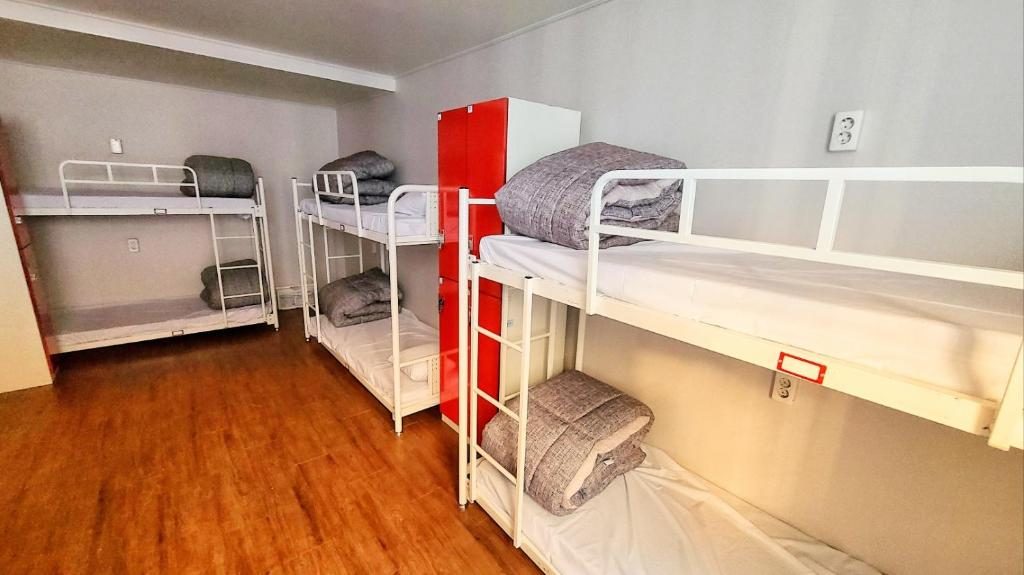
Start with things that have no guests attached. If you get something wrong here, nothing breaks.
- Room and bed structure. Dorms are where people stumble. If you sell beds, build the dorm with its real bed count and bed labels, matching what is printed on the actual bunks. If the old system treated a dorm as a single "room with 8 capacity", decide now whether you want bed-level tracking in the new one.
- Rate plans and seasonal pricing. Rebuild the base rates, weekend rates, minimum stays. Do not try to improve your whole pricing strategy in the same week. Copy what exists, migrate, then change things.
- Policies, taxes and fees. City tax, service charge, deposit rules. Tax settings are easy to forget and awkward to fix on reservations already created.
- Staff accounts and roles. Who can see payments, who only does housekeeping.
- Message templates. Pre-arrival, check-in instructions, post-stay. Keep them switched off until cutover. Otherwise guests get the same message from two systems.
Step 2: Load future reservations, soonest first
Now enter the reservations. Do it in order of arrival date, starting with the nearest. If you run out of time, the bookings you have not loaded are the furthest away, which means you have the longest window to catch them.
For each reservation, capture:
- Guest name and contact
- Arrival and departure dates, room type and the specific room or bed if assigned
- The OTA reservation reference number. This is the detail people skip. When a guest later modifies or cancels on the OTA, the update refers to that number. If the new system cannot match it to a booking you entered by hand, depending on the setup you may get a duplicate, an error, or a cancellation that silently does nothing.
- Payment status: prepaid by the OTA, deposit taken, balance due on arrival, and the amount
- Special requests and notes (late arrival, bed preference, extra night added at the desk)
Direct and walk-in bookings go in too, with a note of any cash or card payment already taken.
While you do this, the new system must not be connected to any OTA. It is a shadow copy. If it were connected now, it would push availability based on incomplete data and could re-open rooms you have already sold.
Step 3: Run both systems in parallel, with a clear boss
Parallel running is useful, but only if it is defined. Here is a version that works:
- The old system stays connected to the OTAs and remains the boss. New bookings arrive there.
- Every new booking, change or cancellation is also entered into the new system by whoever handles it, until cutover. Keep a short checklist at the desk so nobody forgets.
- Once a day, compare the next seven days of arrivals in both systems against each other. Count rooms, count beds, check names. Any difference is a data-entry mistake you found while it is still cheap.
- Have staff do a few practice check-ins in the new system on reservations that are already real, if you can do it without confusing the guest.
How long should this last? Long enough for the daily comparison to match cleanly several days in a row, and for staff to be comfortable. For a hostel with fast turnover, that is usually shorter than for a hotel with long stays. Do not stretch it out, though. Double entry is where human error creeps in, and the longer it runs, the more the two systems drift.
Also work out what the overlap costs on your own ledger: one extra month of subscription against the price of a single night's refunded double booking. Most operators find that comparison settles the question quickly.
Step 4: The OTA re-mapping step everyone underestimates

This is the real risk, and it is boring, which is why people rush it.
Each OTA listing has its own internal room types and rate plans. Your channel manager maps them to the rooms in your PMS. When you change systems, every mapping must be rebuilt: this OTA room type equals this room type in the new system, and this OTA rate plan equals this rate plan.
What goes wrong:
- Wrong inventory count. Map a 6-bed dorm to a room type with 8 beds and the OTA will happily sell two beds you do not have. Map it to a type with 4 and you lose sales silently.
- Similar names, different products. "Mixed dorm 8" and "Mixed dorm 8 (ensuite)" look close in a dropdown. Guests notice the difference at the door.
- Rate plans mapped to the wrong policy. A non-refundable rate mapped to a flexible one, or a breakfast rate mapped to a room-only one, is a customer service problem and sometimes a financial one.
- Restrictions not carried over. Minimum stay, closed-to-arrival days, release periods. If the new system does not push these, the OTA may fall back to its defaults.
- The first availability push. When you connect, the new system sends a full set of availability to every OTA. That push is only as correct as the reservations you loaded in Step 2. This is why Step 2 comes first.
A cutover-day sequence that holds up
- Freeze changes. Choose a short window, ideally early morning, where no one edits reservations in either system.
- Do a final sync of the reservations. Enter anything that arrived since your last daily comparison. Compare the next 14 days again.
- Disconnect the old system from the OTAs. Many OTAs allow only one connected channel manager per listing, so this step may be required before you can connect the new one. Follow each OTA's own process.
- Connect the new system and map room types and rate plans, using your written list from the prep stage. Do one OTA at a time. Start with the one that drives most of your bookings so you can watch it closely.
- Push full availability and rates. Then verify.
- Verify by looking at the public listing, not the dashboard. Search your own property on each OTA for dates you know are full, dates you know are open, and a date where only a few beds remain. Check that the numbers match your calendar. Do this for every channel before you call it done.
- Turn on guest messages in the new system and turn them off in the old one.
Test a booking if the OTA lets you, or make a small real one from a staff member's account and cancel it. Confirm that it lands in the new system with the right room type and that the cancellation frees the inventory again.
Step 5: After cutover
- Keep the old system read-only for a few weeks. You will need it to look up a guest, a payment note or a past invoice.
- Watch the first 48 hours of new bookings. Check each one against the OTA confirmation.
- Re-run the arrivals comparison for the next week against your printed list from before the move.
- Check your payment reporting at the end of the first week. Deposits and balances entered by hand are the likeliest source of small mismatches.
- Decide on a rollback rule in advance. For example: if two OTAs show wrong availability that you cannot fix within an hour, close those channels, and run the desk from the paper arrivals list until it is fixed. Closing sales for a few hours costs less than overbooking a full dorm.
Common mistakes, briefly
- Connecting the new system to OTAs before loading reservations.
- Forgetting OTA reference numbers on manually entered bookings.
- Cutting over on the first day of a long weekend.
- Leaving both systems connected to the same OTA listing "just in case".
- Changing prices, room names and policies during the same week as the migration.
- Trusting the dashboard instead of looking at the live OTA page.
Where Kimchee fits
We run guesthouses in Busan ourselves, so this post is written from the front-desk side, not the IT side. If you are evaluating a switch, a few practical points from our product that relate to the plan above:
- The channel manager is included at no extra cost. It is built on Channex and covers 490+ channels, including Booking.com, Airbnb, Agoda, Expedia, Hostelworld and Trip.com. Re-mapping is still your job, so keep that written list handy.
- There is no long-term contract, which makes a short parallel run less of a commitment.
- Pricing is by room count (a dorm bed counts as a quarter of a room), and every plan has the same features. For example, 1–10 rooms is $60 per month, tax included. See pricing for the full table, and the features page for bed-level calendars and the rest.
Whichever system you choose, apply the same sequence: static data, then reservations, then a short parallel run, then a careful cutover with a live check on every listing.
If you want to talk through your own cutover plan, including which of your OTA connections to move first, get in touch with us. We are happy to look at it with you.
Run it on a system built by operators
Kimchee is the PMS we use every day across three properties in Busan. The channel manager is included — no separate contract, no per-channel bill.